yourstore.com
A storefront that is yours
Your logo, your colours, your pages and banners, arranged by you.
A storefront your customers love, and a back office your team enjoys. Orders, payments, delivery, promotions and people, all working together.
Watch, in Nepali
From creating your account to adding your first product, step by step.
What you get
One system where every part knows about the others: an order updates stock, your delivery team, the customer and the cash report at once.
Your logo, your colours, your pages and banners, arranged by you.
Paid orders go straight to packing. The customer is updated automatically at every step.
Ten clear stages from placed to delivered, returned or cancelled.
Your own logistics team, couriers, bus or cargo. Cash on delivery tracked until it is handed in.
FESTIVE1000
1,000 off over 20,000
+25 coins earned
Coupons, gifts, bundles, coins and a lucky draw.
+18%sales this week
Sales, customers, coupons, stock and cash in one place.
Roles for every job, staff sign-in by emailed code, and an activity log of who did what.
The real thing
The same admin, storefront and delivery screen your team will use from the first day.
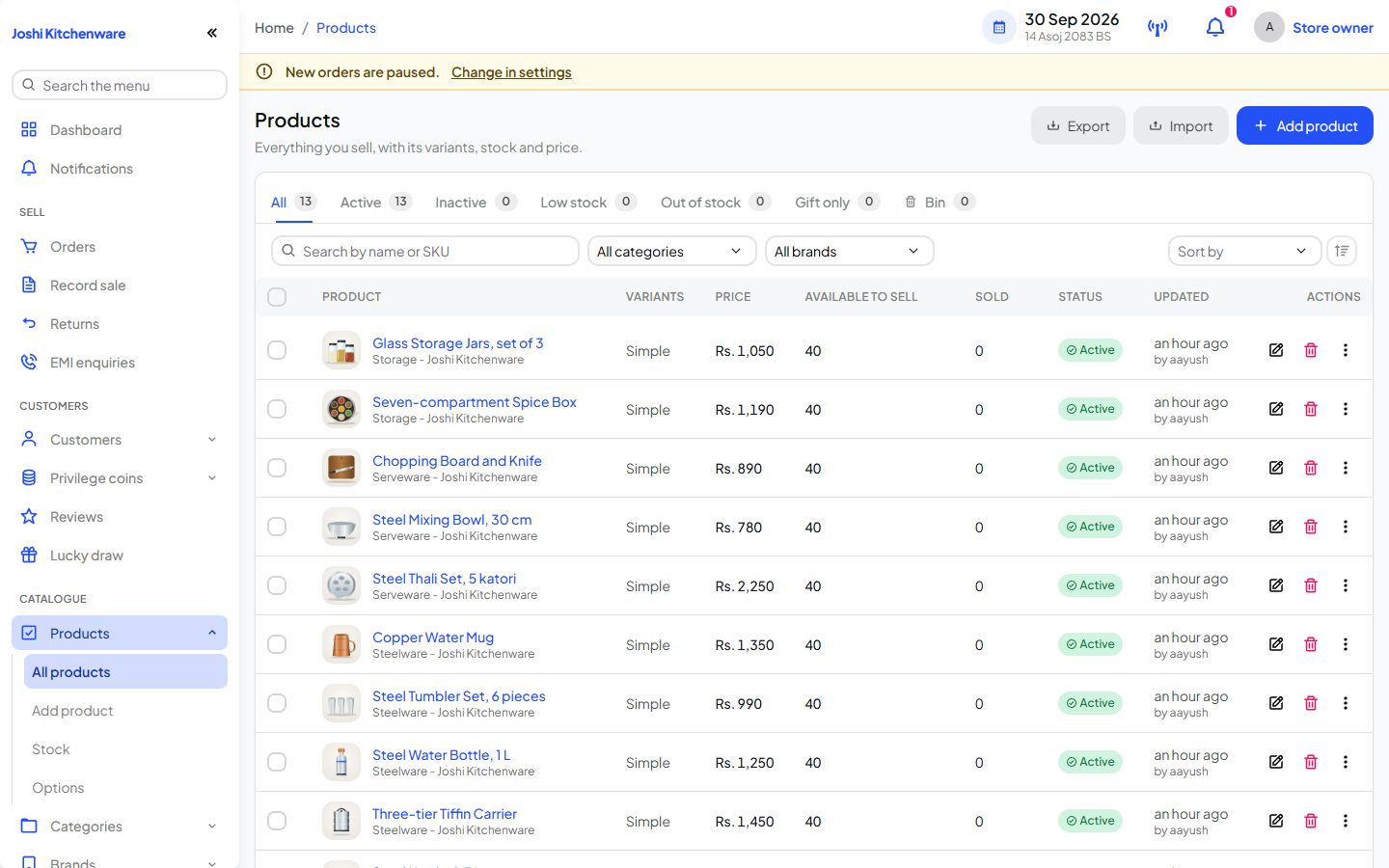
Your back office
Products, stock, prices and orders in one admin.
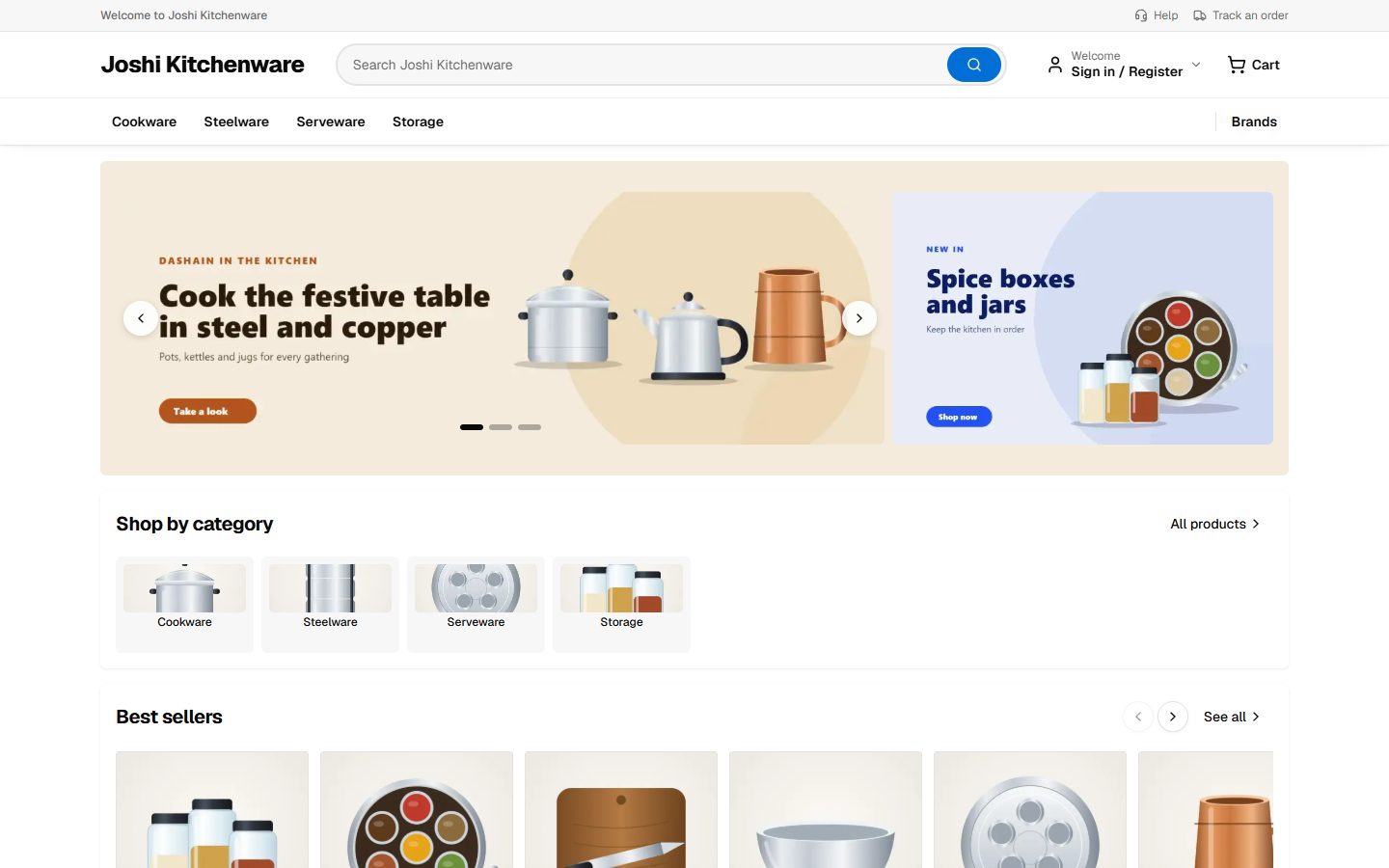
Your storefront
What your customers see. Same system, same data.
Your customers
Less time answering where is my parcel, more time selling. Every customer gets a page that keeps them in the loop.
Before and after
Today
With Softified Stores
Orders arrive in chat groups and get lost
Every order lands in one list with an alert
Stock lives in a notebook
Stock updates with every sale
Your delivery team calls in to ask where to go
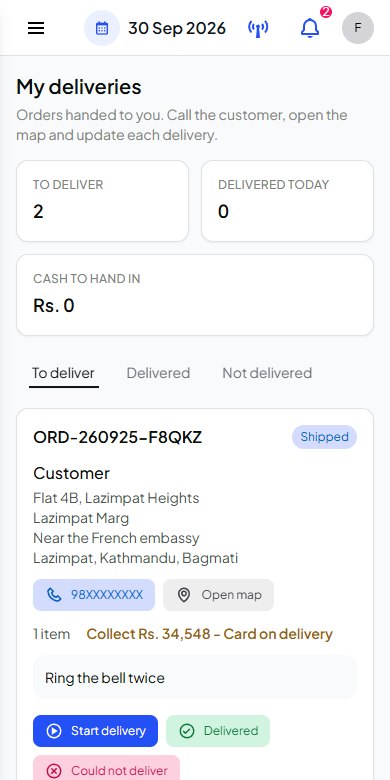
Each person sees their own deliveries on their phone
Cash from deliveries is counted on paper
Cash held by each delivery person is tracked until handed in
A coupon runs away and eats the margin
Budgets and limits stop a coupon at the amount you set
Everyone shares one password
Each person signs in with their own role and code
One order, five people
Nobody chases anybody. Each person sees what is theirs, and the owner sees it all.
6:42 pm
The customer
Orders a kettle and pays online. Stock drops, the store gets an alert, and a confirmation email goes out.
6:44 pm
Orders team
Packs the order and hands it to your in-house logistics team. The customer is emailed at each step, without anyone typing a message.
7:10 pm
Delivery team
The delivery appears on their phone, with an alert, the address and the map. Nothing to phone in.
8:05 pm
The customer again
Receives it. The order is marked delivered.
Next morning
The owner
Sees the sales, and exactly how much cash is still with each delivery person.
Live stores
Browse them the way your customers would.
Demo store: home and kitchen appliances, TVs and mobiles
himalayan-home.stores.softifiedbusiness.com
Demo store: trekking, camping and outdoor gear
everest-outdoors.stores.softifiedbusiness.com
Demo store: phones, audio, laptops and smart gear
pixelwav.stores.softifiedbusiness.com
How it works
Your email
you@yourstore.com
Store name
Your store name
Step 1
Sign up with your email and start your 14-day free trial of Business. Your store opens right away.
Products added
Delivery set up
Pages arranged
Ready to sell
Step 2
Add your products, set delivery and arrange your pages and banners from the admin.
New order ORD-1001
Steel kettle, 1 item2,590
New
Step 3
Send your business certificate once. Selling opens as soon as it is checked.
Questions
Still unsure? Write to us and ask directly.
Create it yourself: choose the sign-up button on the website, enter your email and your store opens right away.
Then add your products and set up delivery. To open selling, send your business certificate once from the store admin and we check it.
No. You add products, arrange your pages and banners, set delivery and run offers from the admin. Your store is created when you sign up.
You can start adding products as soon as you sign in. Selling opens once your business is verified: send your PAN or VAT certificate from the store admin and we check it.
You do. Your products, customers and orders belong to your store, and you can export your orders, customers and reports to a spreadsheet at any time.
Yes. You can connect your own domain to your store, and the store settings show the exact steps to set it up.
Yes. Each person on your delivery team signs in and sees only the deliveries handed to them, with the address, a call button, a map link and the cash to collect. They mark each delivery as they go.
Shoppers can pay online with Khalti, or with cash or card on delivery. Cash and card on delivery work out of the box. To accept online payment, add your payment provider key in your store settings.
Questions first? We reply within one to two working days, and we can show you a demo.